
Download Bookpedia – Book Collection Management Software for macOS
Keeping track of a personal library can quickly turn into a chaotic spreadsheet or a stack of forgotten notebooks. Bookpedia solves that problem with a clean, mac‑focused interface that lets you catalog, browse, and analyze every title on your shelves. Whether you own a handful of paperbacks or a sprawling collection of rare first editions, Bookpedia gives you a visual “cover wall”, barcode scanning with your iSight camera, and powerful smart collections that keep your library tidy and searchable. In this review we’ll explore the app’s core capabilities, walk through the installation process, check compatibility with current macOS versions, and weigh the pros and cons so you can decide if Bookpedia is the right tool for your reading habit.
Overview – A Visual Library at Your Fingertips
Bookpedia is a native macOS application designed to let book lovers create a digital replica of their physical shelves. The moment you launch the program, you’re greeted by a full‑screen “cover view” that displays every book’s cover art in a grid, similar to a personal Amazon storefront. This visual approach makes it easy to spot a missing title or recall where a particular novel sits among your other reads. The interface is built around macOS conventions: drag‑and‑drop, Spotlight integration, and native menu shortcuts, which means the learning curve is virtually non‑existent.
The barcode scanner is one of the standout features. By pointing your iSight (or any compatible webcam) at a book’s ISBN barcode, Bookpedia automatically pulls metadata—title, author, publisher, publication date, and even Amazon sales rank—from a range of international databases. If a barcode is missing or unreadable, the app falls back to ten different search engines and Z39.50 library servers, giving you a high success rate for even the most obscure titles. Once a book is imported, you can add personal notes, track who borrowed it, and assign it to custom smart collections based on genre, reading status, or personal rating.
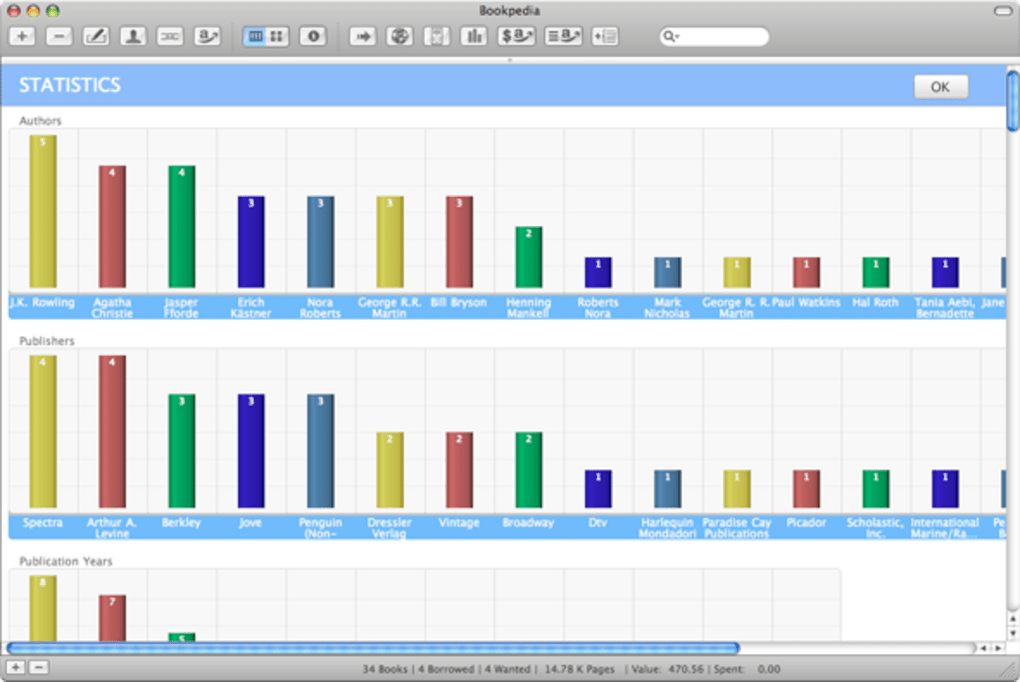
Beyond cataloging, Bookpedia offers robust reporting tools. It can generate statistics such as total page count, average publication year, and the proportion of books per genre. For avid collectors, the ability to export cover art while preserving original file timestamps is handy for syncing with FTP servers or cloud storage. Recent updates have added adjustable fonts, enhanced scrolling in cover view, and a “hover‑preview” that shows link destinations in the status bar—small touches that polish the overall user experience.
Key Features – What Makes Bookpedia Stand Out
- **Barcode Scanning with iSight** – Quick, on‑the‑fly entry of books using the built‑in camera.
- **Multi‑Source Lookup** – Access to ten international search sites and Z39.50 library servers when barcodes fail.
- **Spotlight Integration** – Instantly locate any book, author, or note via macOS Spotlight.
- **Full‑Screen Cover Wall** – Visual browsing of all titles with resizable thumbnails (Option + scroll wheel).
- **Smart Collections** – Dynamic groups based on genre, reading status, rating, or custom tags.
- **Wishlist Sync with Amazon** – View and manage your Amazon wish list directly inside Bookpedia.
- **Borrower Tracking** – Log who has borrowed which book and receive overdue reminders.
- **Statistical Reports** – Generate collection statistics, including total pages, average year, and genre distribution.
- **Export Options** – Export cover images with original timestamps for seamless FTP syncing.
- **Customizable UI** – Adjustable fonts, sortable columns, and the ability to hide articles when sorting.
Each feature is tightly integrated with macOS, making the workflow feel native rather than tacked on. For example, the “hover‑preview” feature reveals URL destinations without leaving the app, and the recent addition of a black dot on the close button alerts you to unsaved changes, preventing accidental data loss. The application also respects macOS security standards; all network calls are encrypted, and the app can be downloaded directly from the developer’s site or the Mac App Store, ensuring a secure installation.
Installation, Usage & Compatibility – Getting Bookpedia Up and Running
Installing Bookpedia is straightforward. The latest version is distributed as a signed .dmg file that you can download from the official website. After mounting the disk image, drag the Bookpedia icon into your /Applications folder. macOS may prompt you to confirm that you want to open an app from an unidentified developer—simply click “Open” after verifying the source. The installer automatically registers the app with Launch Services, enabling Spotlight indexing and file‑type associations.
Once installed, the first launch triggers a brief setup wizard. You’ll be asked to grant camera access for barcode scanning and permission to read/write to your Documents folder for storing the library database. These permissions are essential; without camera access the barcode feature won’t work, and without file access the app cannot save your collection data.
Using Bookpedia starts with creating a new library file (default location: ~/Documents/Bookpedia/Library.bookpedia). You can then add books individually by scanning barcodes, manually entering ISBNs, or importing a CSV file of existing records. The interface offers three primary views:
- Cover View – Grid of book covers for visual browsing.
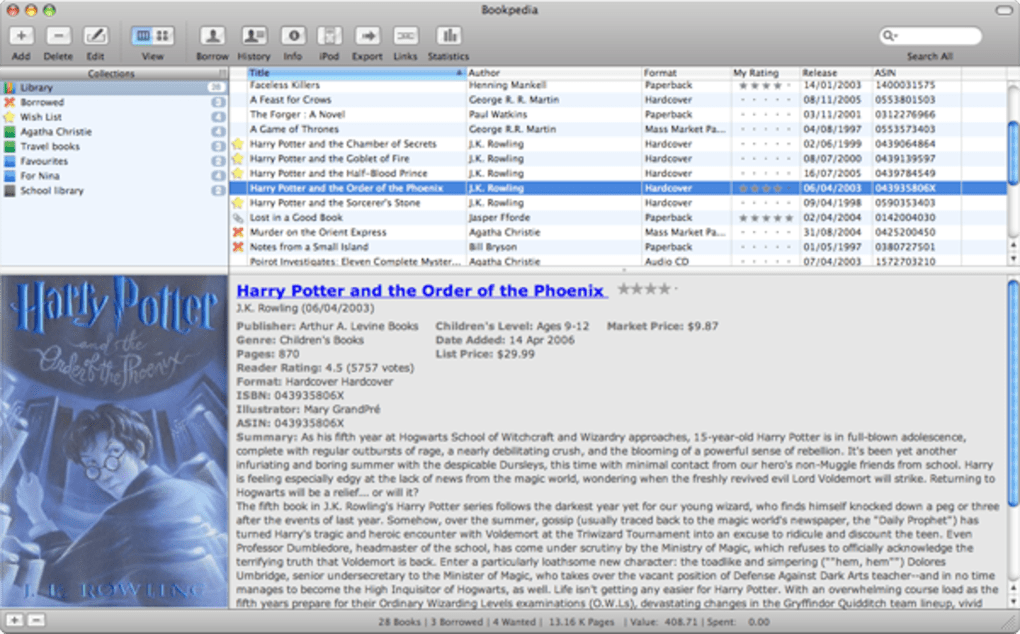
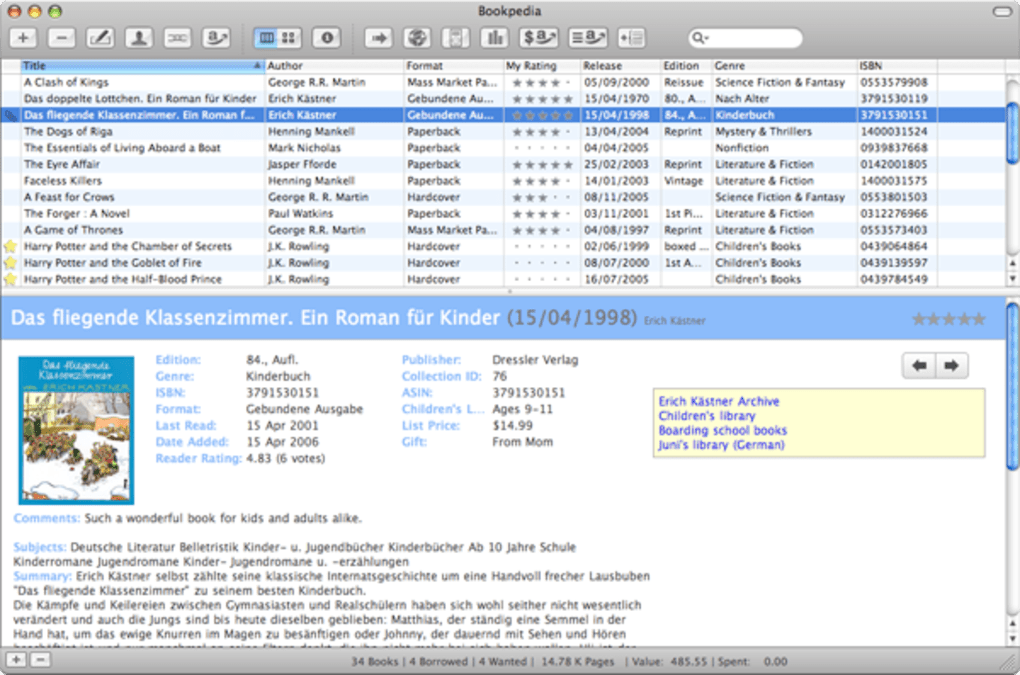
- List View – Detailed table with sortable columns (title, author, year, etc.).
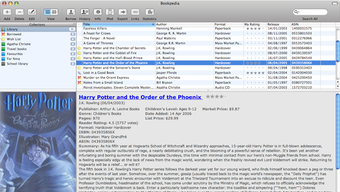
- Info View – Full metadata for a selected book, including notes, borrower info, and external links.
The app’s performance scales well with larger libraries. Users have reported smooth scrolling with up to 5,000 titles, and the recent “faster sorting when ignoring articles” patch reduces lag when organizing by title. For power users, the “Command‑S” shortcut in the edit panel saves changes instantly, while the “Option + Scroll” gesture resizes cover thumbnails without leaving the view.
In terms of compatibility, Bookpedia is built specifically for macOS and supports the following operating systems:
- macOS 10.13 High Sierra and later
- macOS 10.14 Mojave
- macOS 10.15 Catalina
- macOS 11 Big Sur
- macOS 12 Monterey
- macOS 13 Ventura
The developer regularly updates the software to stay in line with Apple’s system updates, and the app runs natively on Apple Silicon (M1/M2) as well as Intel‑based Macs. There is currently no Windows, Android, or iOS version, so the tool is best suited for users who manage their collection primarily on a Mac.
Pros, Cons & Frequently Asked Questions
Pros
- Intuitive, visually‑driven interface makes browsing enjoyable.
- Robust barcode scanning with fallback to multiple online databases.
- Deep macOS integration: Spotlight, native shortcuts, and Apple Silicon support.
- Smart collections and borrower tracking provide powerful organization.
- Free to download with optional paid upgrades for cloud sync.
Cons
- No native Windows or mobile version limits cross‑platform access.
- Barcode scanning can fail in low‑light conditions or with damaged barcodes.
- Sorting by author’s last name is not available out of the box.
- Advanced features (e.g., cloud backup) require a paid subscription.
FAQ – Bookpedia (FAQPage)
Can I import an existing CSV of books into Bookpedia?
Yes. Bookpedia includes an “Import CSV” wizard that maps columns such as title, author, ISBN, and notes to the internal database fields. This makes migrating from spreadsheets simple.
Is my library data stored locally or in the cloud?
By default, the library file is saved locally on your Mac. A paid “Sync” add‑on lets you store the file in iCloud or Dropbox for multi‑device access.
How does Bookpedia handle duplicate entries?
During import, the app checks ISBN numbers and prompts you to merge duplicates or keep them separate, preventing clutter in your collection.
Can I export my collection to other library software?
Bookpedia can export the library as CSV, JSON, or a simple XML format compatible with most cataloging tools, including Delicious Library and Libib.
Is there a way to track the condition of each book?
Yes. In the Info View you can add custom fields such as “Condition” (e.g., New, Good, Fair, Poor) and include them in smart collections or reports.
Conclusion – Should You Download Bookpedia?
For macOS users who take their personal library seriously, Bookpedia offers a polished, feature‑rich solution that transforms a chaotic stack of books into a searchable, visually appealing digital catalog. Its barcode scanner, extensive online lookup, and tight integration with macOS services like Spotlight make data entry quick and retrieval effortless. While the lack of a Windows or mobile companion limits cross‑platform flexibility, the app’s free tier provides enough functionality for most home collectors, and the optional cloud sync is reasonably priced for power users.
If you’ve been looking for a way to keep track of what you own, who has borrowed it, and how your collection is evolving over time, download Bookpedia today and experience a smarter, more organized reading life.







